
Download Subtitles Modifier – Subtitle Editor, Timing Control, Text Editing, Media Preview
Overview
Subtitles Modifier is a dedicated tool designed for users who need to edit and synchronize subtitle files with video content. Its primary purpose is to allow precise adjustments to subtitle text and timing, ensuring accurate alignment with spoken dialogue and visual cues. The app addresses common challenges in subtitle management, such as desynchronization, overly long text blocks, and mismatched timing, which can disrupt the viewing experience. It is particularly useful for individuals working with foreign language content, educators creating accessible materials, or content creators preparing videos for distribution.
Target users include video editors, translators, students, and casual viewers seeking to personalize or correct subtitles. While the developer's background is not publicly disclosed, the app has been available since 2006, indicating a long-standing presence in the digital media editing space. Its enduring relevance suggests a reliable and consistent performance over time. Real-world applications include preparing subtitles for online courses, enhancing accessibility in multimedia presentations, and refining subtitles for personal video libraries.
Within the mobile app ecosystem, Subtitles Modifier fills a niche role by offering a lightweight yet functional solution for subtitle editing on the go. Unlike many complex video editing platforms, it focuses exclusively on subtitle refinement, making it a streamlined utility for users who prioritize efficiency and accuracy.
Key Features & Functionality
- Easy Text Editing: The app provides a straightforward text editor that allows users to modify subtitle content directly. Whether correcting typos, adjusting phrasing, or updating dialogue, changes can be made quickly and intuitively. This feature is ideal for customizing subtitles for specific audiences or contexts.
- Adjustable Timing Control: Users can modify the start and end times of each subtitle, enabling fine-tuned synchronization with audio and video. This is essential for correcting timing errors caused by transcription delays or video edits.
- Subtitle Splitting Feature: The tool supports splitting long subtitle lines at user-defined points. This improves readability, especially in fast-paced scenes where multiple lines appear simultaneously, reducing visual clutter.
- Integrated Media Player: A built-in multimedia player allows real-time preview of subtitle changes alongside the video. This integration eliminates the need for external players, streamlining the editing workflow and enabling immediate feedback.
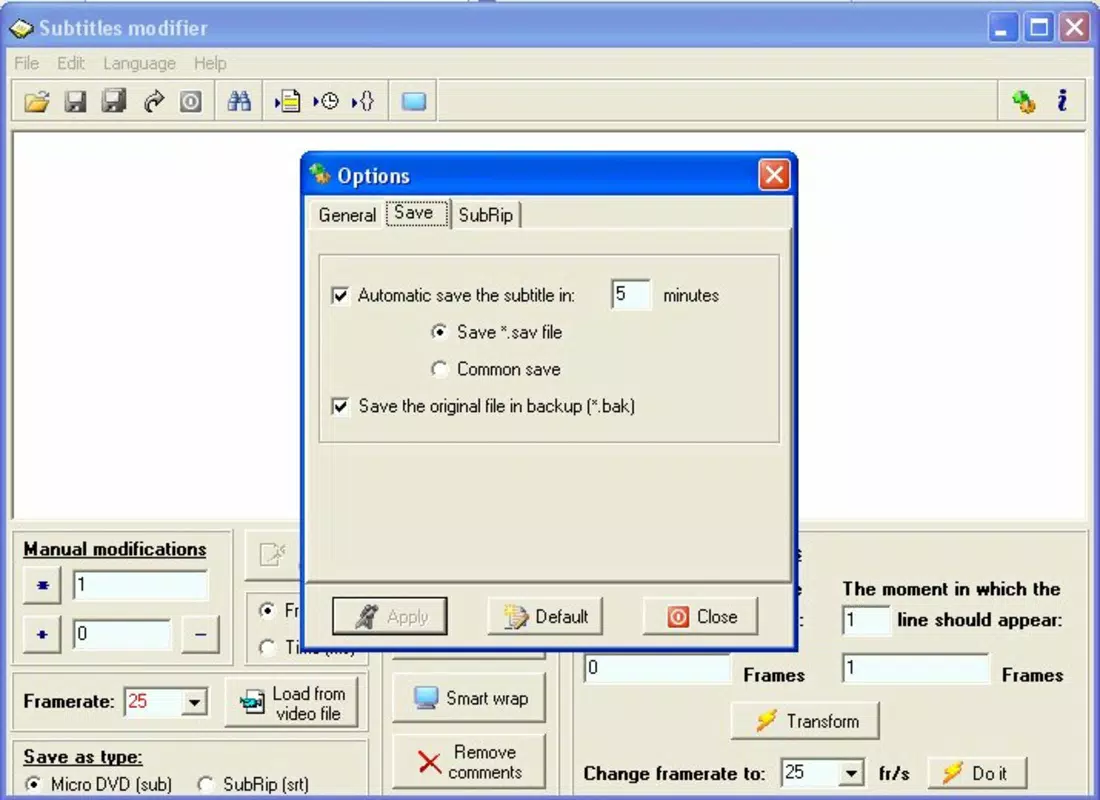
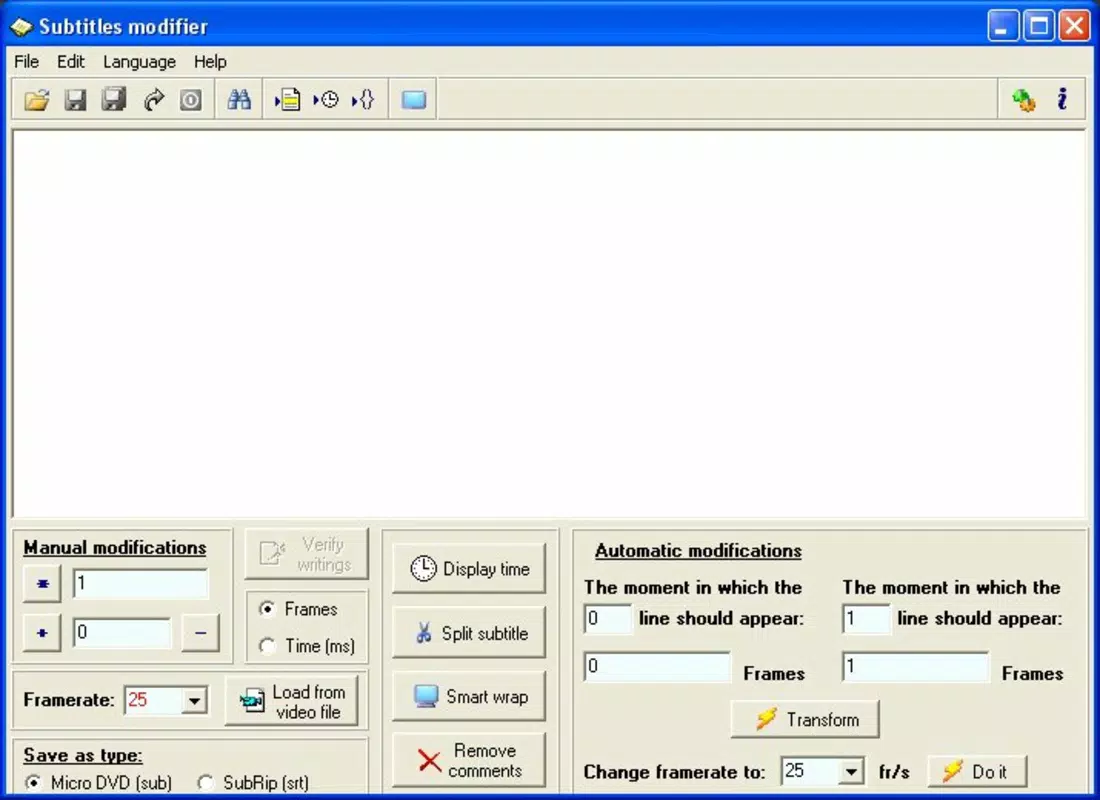
- Simplistic User Interface: The clean, minimal interface ensures that users can focus on editing without distraction. Navigation is intuitive, making the app accessible to beginners while still offering enough control for experienced users.
For example, a student preparing a foreign language video for a class can use Subtitles Modifier to correct a misaligned subtitle and split a long sentence into two parts for better comprehension. Similarly, a translator can adjust timing to match the natural rhythm of spoken language, improving viewer engagement.
Interface, UX & Performance
Subtitles Modifier features a clean and minimal interface that emphasizes functionality over visual complexity. The layout is organized into clearly labeled sections: a text editor pane, a timeline or timing control panel, and a video preview window. Navigation between these elements is smooth, with logical tabbing or swipe gestures that support efficient workflow.
The visual style is functional and unobtrusive, using simple fonts and contrasted colors to highlight editable elements. This design approach reduces cognitive load, allowing users to concentrate on editing tasks. The app responds promptly to input, with minimal lag during text edits or timing adjustments.
Although the developer did not list formal performance metrics, the app appears optimized for stability across various device categories. Users can expect consistent behavior on both mid-range and high-end smartphones, with responsive interactions and reliable playback during previews. The integration of the media player suggests internal handling of video decoding and synchronization, which contributes to a seamless user experience.
Platform Compatibility & Technical Requirements
Subtitles Modifier is available for Android and iOS platforms. The app’s file size is not specified in the provided data, but it is designed as a lightweight utility focused on subtitle editing. The developer did not disclose minimum OS requirements or specific version compatibility details.
Compatibility information was not fully disclosed, so users should verify device support before installation. The app’s reliance on a built-in media player indicates it may require access to standard video codecs and audio playback capabilities, which are typically available on modern smartphones.
Pros and Cons
Pros
- Simple, intuitive interface ideal for beginners and non-technical users
- Real-time preview with integrated media player enhances editing accuracy
- Flexible text editing and timing control for precise subtitle adjustments
- Subtitle splitting improves readability and pacing
- Lightweight design with focused functionality
Cons
- Developer did not provide specific technical requirements or OS compatibility details
- File size and version information were not disclosed
- Limited feature set compared to full video editing suites
- No cloud sync or export format options mentioned
- Compatibility with older devices or specific video formats not confirmed
FAQ
Is Subtitles Modifier safe to download and install?
The app is designed as a utility tool and does not require excessive permissions. It is recommended to install from official app stores to ensure authenticity and security.
Can I use Subtitles Modifier on both Android and iOS?
Yes, the app is available on both Android and iOS platforms. Specific compatibility details were not provided by the developer.
Does Subtitles Modifier support all subtitle file formats?
While the app is designed for subtitle editing, the exact supported formats were not specified in the provided information.
How often is Subtitles Modifier updated?
The developer did not disclose update frequency. Users should check the app store for the latest version and release notes.
Can I edit subtitles without having the original video file?
Yes, the app includes a built-in media player, allowing users to preview edits in real-time even when working with local video files.
Final Thoughts
Subtitles Modifier stands out as a focused, efficient tool for anyone needing to edit or synchronize subtitle files. Its clean interface, real-time preview, and precise timing controls make it a reliable choice for both casual users and professionals. While some technical details are missing, the app delivers on its core promise: simplifying subtitle management with minimal friction.
It is especially beneficial for educators, translators, and content creators who require accurate, readable subtitles. The value proposition lies in its simplicity, functionality, and direct approach to a niche but important task.
Download Subtitles Modifier now


